For · sole traders
Self-assessment, right.
- Trade, property and savings split
- Capital and drawings handled
- Private-use restrictions applied
- Equity rolled into capital
Year-end working papers, prepared for your review.
PrepIQ turns a client’s records into a complete, balanced, cell-linked year-end file — with the real work ready for you to review.
A complete file, ready to interrogate.
Hand RiQ the client's records. Get back the complete year-end set — balanced, cell-linked, ready for your review. From your existing platform, or native inside IQ Books.
Sole trader & limited company · The IQ Suite
Four steps. Only two are yours.
Working-papers automation and accounts production in one pass — not a draft, but the set your firm files behind a return.
A finished PrepIQ set contains eight schedules; every posted figure is a live cell link back to its working sheet, and the set ties out to a 0.00 check row with no plugged figures.
Opening, recorded, unrecorded and adjustment columns — footing, self-balancing.
AIA, FYA, pools, private-use restriction — tax-side only.
Built or rolled forward, NBV linked to the balance sheet.
One cell-linked sheet per agreement, tied to the TB.
VAT reconciled; add-backs, allowances, corporation tax posted.
A real limited-company set, prepared by PrepIQ. Swipe through.
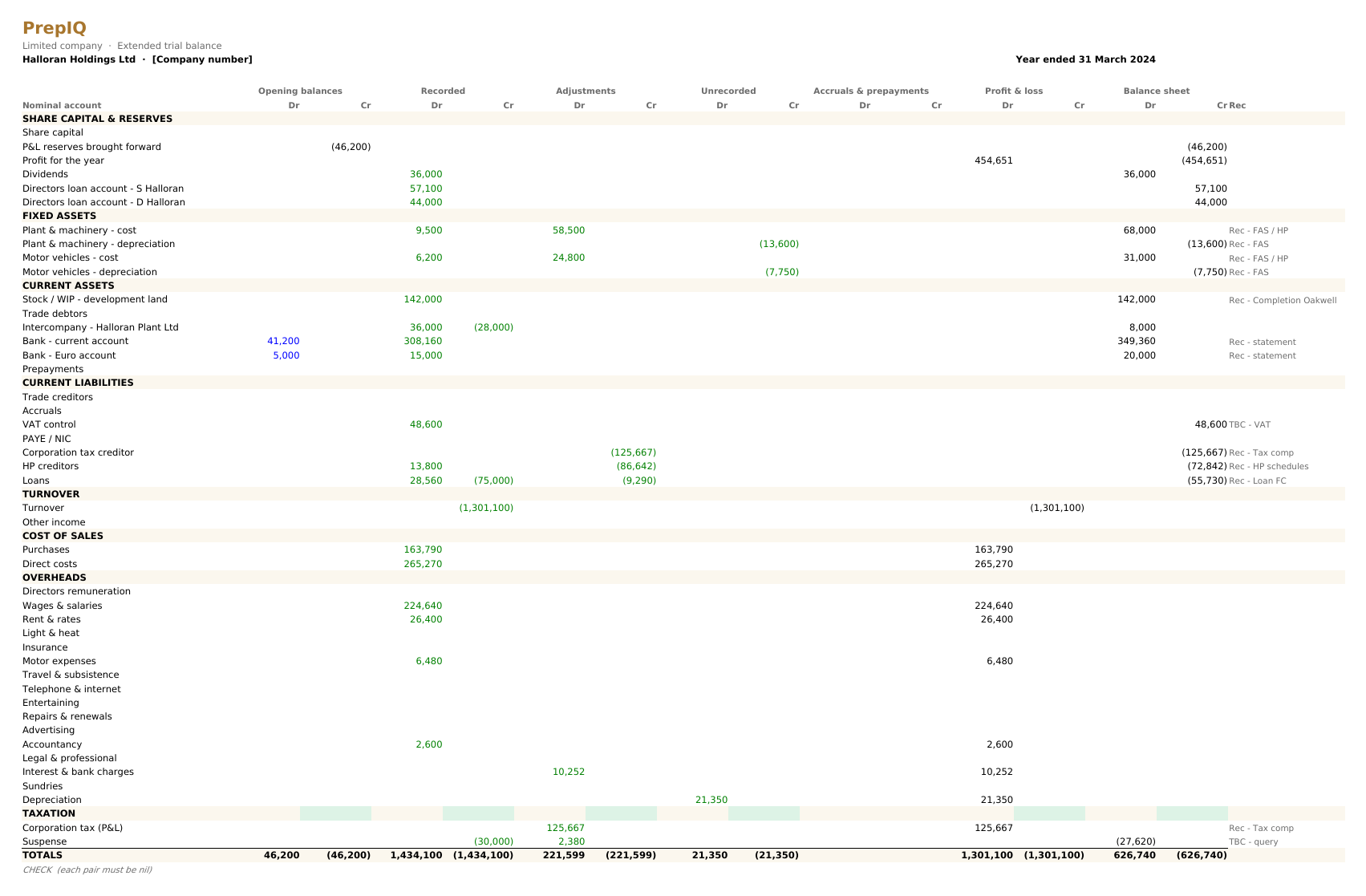
The whole set, on one sheet.
Footed, balanced, check row nil.
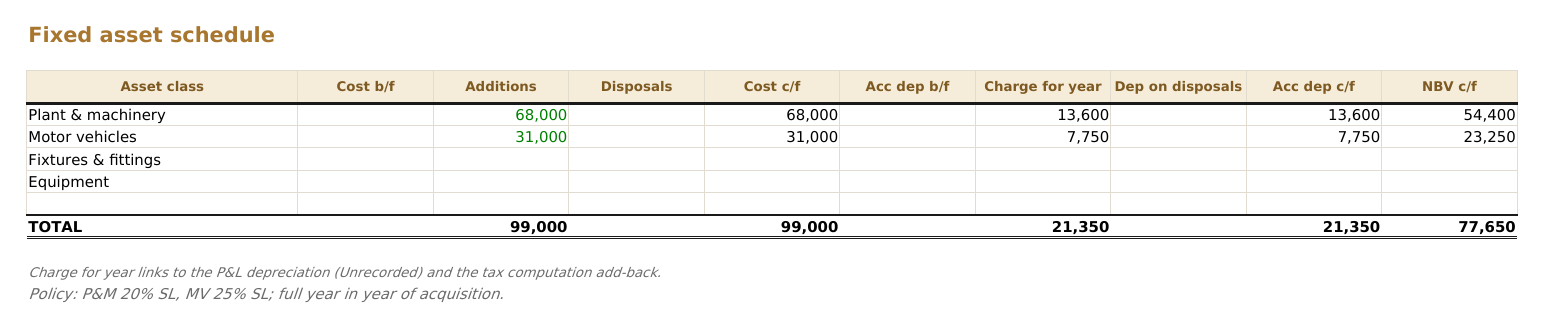
Built or rolled forward.
Additions, disposals, depreciation.
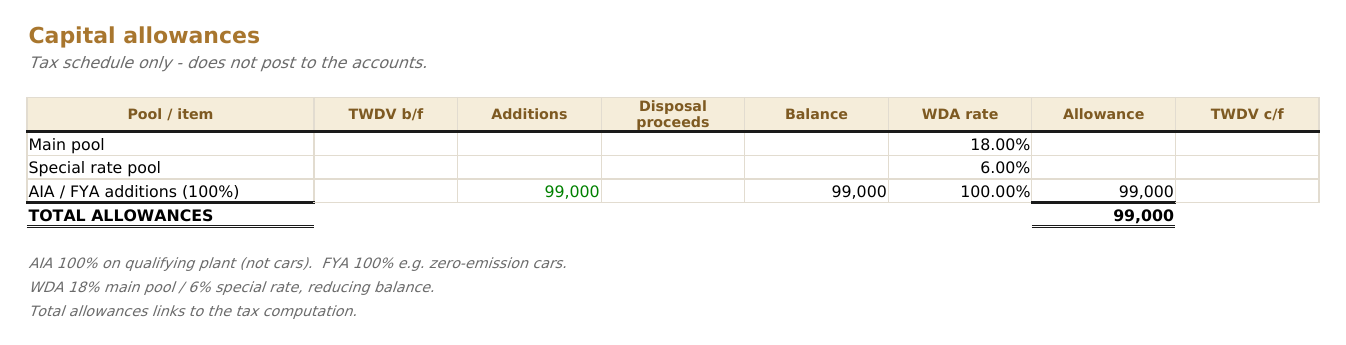
Kept tax-side.
Pools, AIA, FYA — feeding only the comp.
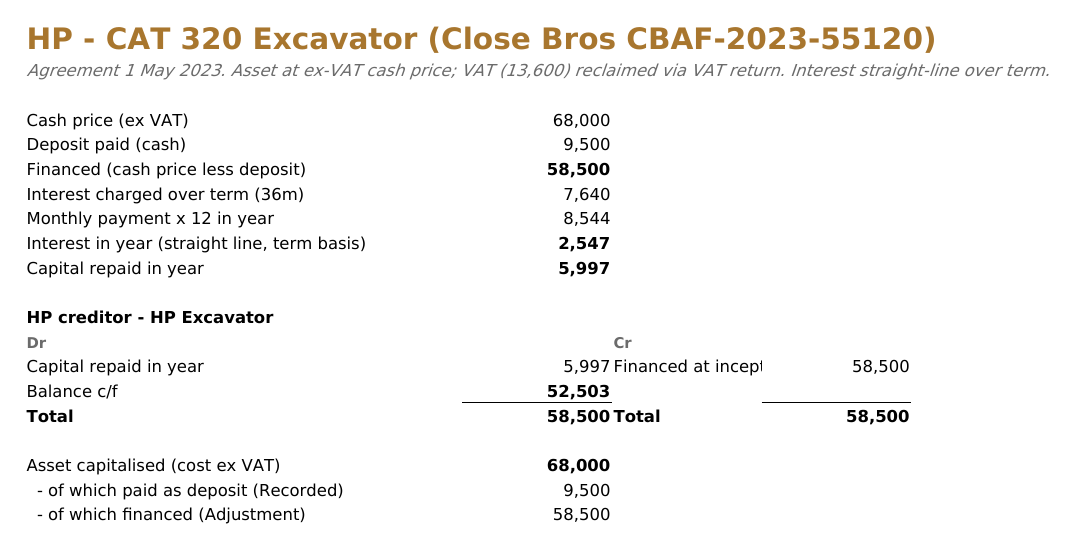
One sheet per agreement.
Liability split current and non-current.
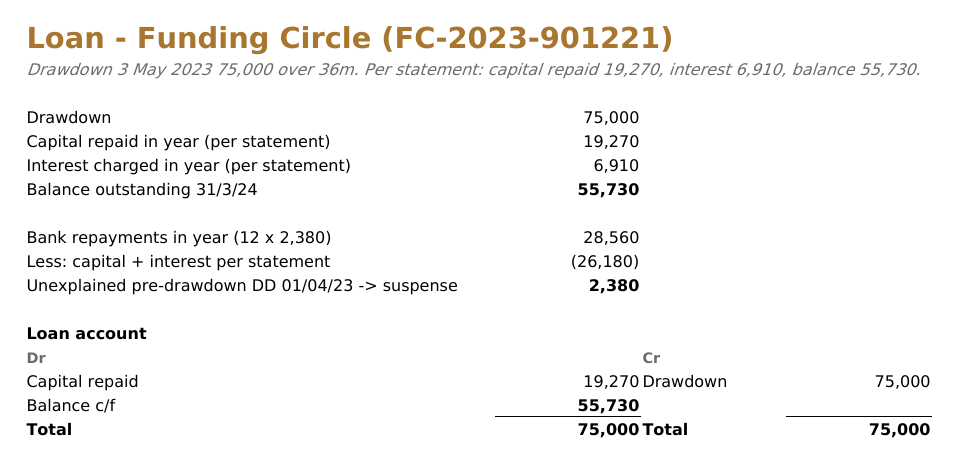
Tied to the paperwork.
To the penny, interest and capital split.
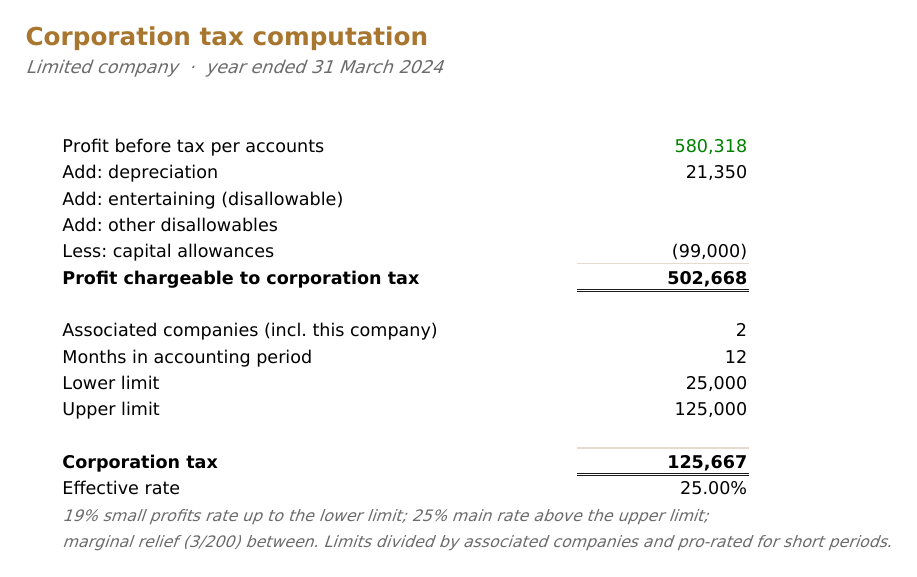
Profit to tax.
Add-backs, allowances, marginal relief.
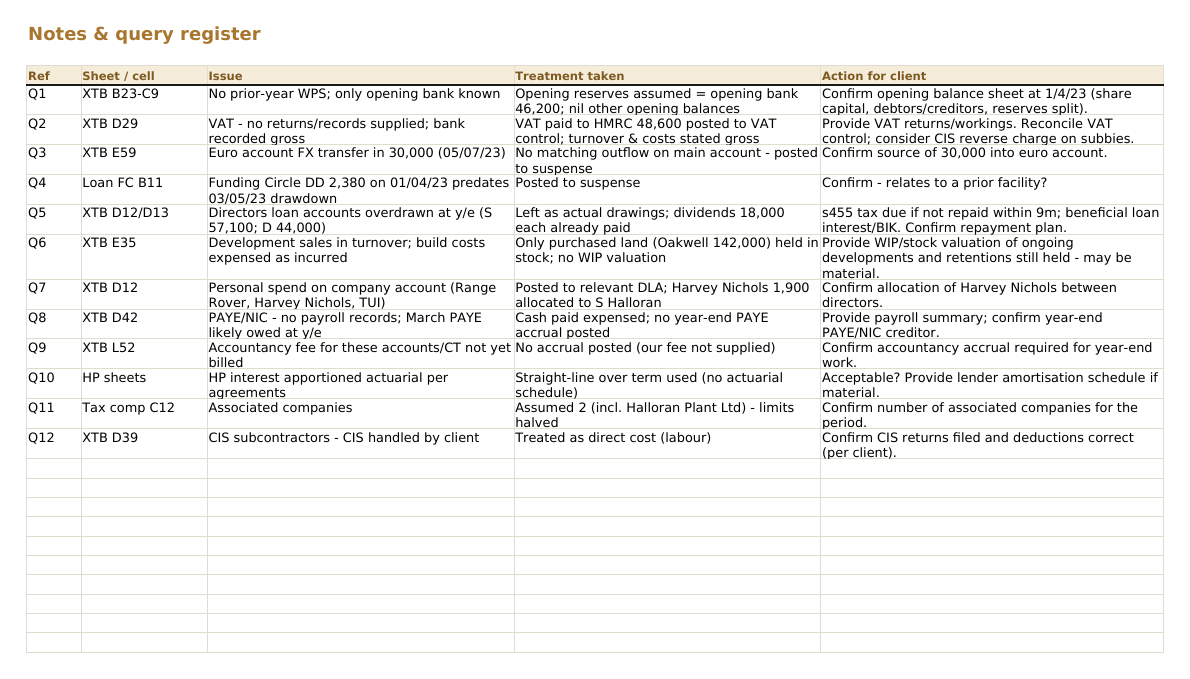
Every judgement, flagged.
Where records fall short, it says so.

Reconciled line by line.
Broken out, posted, traceable to source.
Prepared by PrepIQ · reviewed and signed off by the accountant
Cashbook, agreements, correspondence — read together, clashes flagged.
A recurring item appearing once means the records are short. It says so.
Posts only what is evidenced. Gaps shown, never plugged.
Open questions become a ready-to-send client email.
It flags like a senior — not a guarantee it catches every error. Your review is the final word.
 RiQ
Review notes · hartley-joinery-ye25
3 flags
RiQ
Review notes · hartley-joinery-ye25
3 flags
HP agreement missing the final payment schedule. Drafted a client query for the closing figure.
Fuel recurs monthly; October is missing. Marked TBC — nothing posted.
£6,000 to the director — dividend or DLA? Left unposted; both treatments noted.
In beta testing we fed it deliberately broken records. It flagged the client's errors — and the ones we planted.
The right template and rules per entity.
No special export to produce — give it what the client already has.
Xero, QuickBooks, Sage, Pandle, any CSV / Excel.
PDFs, scans and CSV.
HP, loan, completion — one rec each.
Scanned or photographed.
Closing becomes opening, proven to tie.
Your layout, preserved year to year.
Scoped to you. Cleared when the job is done.
Jobs isolated. Nothing shared across accounts.
A finished set waits for your approval.
Close the job; the documents are cleared down.
IQ Books is the ledger PrepIQ prepares from — reconcile, code, analyse and prepare in one place, with nothing to connect. Every plan includes all five; each also runs standalone on the software you already have.
Bank and invoice matching, any bank.
Read more → § CodeIQCodes, VAT, posts to the platform.
Read more → § LedgerIQ44 modules, one-click board pack.
Read more → § PrepIQThe full set, every figure cell-linked.
you are hereAnything else, email [email protected].
Practice Essential and above. One subscription, the whole IQ Suite.
CodeIQ, the AI bookkeeper, codes and cleans the ledger first — minutes per client.
LedgerIQ turns the same ledger into board-ready analysis. RiQ writes the commentary.
The platform behind PrepIQ

PrepIQ builds year-end working papers from a client's ledger. Inside IQ Books that ledger is already coded, reconciled and current all year — so year-end starts from clean books, not a scramble.
Keep clients in IQ Books and PrepIQ works from a ledger that was ready the whole time — bring the back-history over in one connection.